
this has to be one of the smallest Windows XP installations out there.
Whats more - you can use 99% of the programs you always use and up to
now there is not one single report of any game not working in MicroXP.
This installation takes only 5 Minutes 30 seconds.
This install includes default XP drivers for Ethernet/Sound/SCSI/RAID
It has all languages kept, except Chinese/Japanese/Korean.
It has all keyboard layout choices kept.
It also has Service Pack 3 final slipstreamed into it.
LAN Networking is now possible - Use 'Map Network Drive' and just put
the computer name of the computer you want to network with.
Digital Cameras and Scanners can also now be used.
The ISO file size is the same as in the previous release - 99.9Mb
[Statistics]
Installation time, in VMware, from
ISO file, from end of formatting .......... 5 Mins 30 Secs
RAM Usage On First Installation ........... 39 Mb
Handles ................................... 2229
Threads ................................... 157
Processes ................................. 15
Entire Install Size ....................... 205Mb
Documents and settings folder size ........ 3.19 Mb
Program Files folder size ................. 2.79 Mb
WINDOWS folder size ....................... 199 Mb
Files In System32 ......................... 815
ISO File Size ............................. 99.9 Mb
__________________________________________________ ___________________
[Services Remaining In Windows]
Cryptographic Services
DCOM Server Process Launcher
DHCP Client
Event Log
Logical Disk Manager
Logical Disk Manager Administrative Service
Network Connections
Plug and Play
Print Spooler
Remote Access Auto Connection Manager
Remote Access Connection Manager
Remote Procedure Call
Server
TCP/IP NetBIOS Helper
Telephony
Windows Audio
Windows Image Acquisition (WIA)
Windows Installer
Wireless Zero Configuration
Workstation
All these services are enabled on installation,
so you can start using Windows straight away.
__________________________________________________ ___________________
[eXPerience Desktop Folder Contents]
Desktop Icon Layout (Lets you save your desktop icon layout)
Driver Install Tool (Easily install all your drivers, see ReadMe)
Keyboard Settings (Quick access to Regional and Language options)
Networking Guide (Shows how to get connected to your networked PC's)
Registry Backup (Make a complete backup of the registry in one click)
Services Config (Files to enable and disable functionality)
ShrinkXP Scripts (to remove any items you do not want or need)
Web Browser (Browzar, to download a full browser of YOUR choice)
Windows Media Player 11 (This is just a readme file about WMP11)
__________________________________________________ ___________________
[WHAT YOU CANNOT DO]
This is a greatly reduced installation of Windows XP Professional SP3
Please read these notes BEFORE using this edition of Windows:
* * * * * * * * * * * *
- SINGLE USER ONLY
You cannot add any additional users. Do not try to add more users,
otherwise your main account that is used by default (Administrator)
will become the new account and after logging in, you will not have
any desktop theme (not even Classic) and the whole account will be
ruined. You'll probably have to install Windows again because if
you make a new account it replaces Administrator and tries to
log you in with Default User - the problem with this is - there
is no Default User anymore.
* * * * * * * * * * * *
- NO NATIVE SUPPORT FOR FTP SITES
There is no built in support for downloading from FTP sites,
try using Filezilla or WS_FTP if you need to do that. Even just
Opera or Firefox can probably do it. This functionality is gone
because the Application Layer Gateway service is gone, along
with ALG.EXE that normally runs in Task Manager, taking up about
6Mb RAM for what amounts to no reason.
* * * * * * * * * * * *
- NO VISITING WINDOWS UPDATE
You cannot visit Windows Update with this version of Windows
because Internet Explorer is removed. You can manually download
updates from Microsoft and you can also use the alternative
Windiz Update website through Opera or Firefox. Because so
much has been removed from this edition of Windows, you are not
likely to be any more safe installing updates for Windows.
NOTE: Because this edition of Windows uses a patched
winlogon.exe in order to remove the oembios.bin file,
you really should not update Windows anyway, in case
winlogon.exe gets replaced by an update. There are more
details about this in the eXPerience folder on the desktop
once MicroXP is installed.
* * * * * * * * * * * *
- NO FAST USER SWITCHING
Apart from you only being able to have the one account anyway
(Administrator) the ability to do Fast User Switching is also
removed.
* * * * * * * * * * * *
- NO PASSWORD STORAGE/AUTOCOMPLETE
Windows will not save stored passwords, however, this only really
applied to Internet Explorer and Outlook Express, which are removed.
You will be fine using Firefox or Opera web browsers and Thunderbird
email client for emails. Those are self contained programs and take
care of storing your passwords by themselves.
* * * * * * * * * * * *
- NO CD-ROM AUTOPLAY
When you insert a CD that would bring up a screen to install the
program contained on the CD, this does not happen in this version
of Windows, you will have to explore the CD manually and run
whatever file it is that runs the program's setup, usually
setup.exe on the root of the CD. If the CD has a file called
AUTORUN.INF then open that file and look at which .exe file
is listed in AUTORUN.INF
* * * * * * * * * * * *
- NO SMART CARD DETECTION
* * * * * * * * * * * *
- NO SCHEDULED TASKS
You cannot set programs, like AntiVirus or Hard Disk Defrag programs
to run in the future IF they need the Scheduled Tasks service in
Windows. If you are going to run those types of programs you will
have to manually scan or defrag whenever it is convenient. Despite
this, one program that will schedule its operations is Perfectdisk
defrag, you do not need Task Scheduler for this program to run a
scheduled defrag.
* * * * * * * * * * * *
- NO REMOTE DESKTOP
There is no Remote Desktop in this version of Windows
because the Terminal Services service is removed.
* * * * * * * * * * * *
- NO THEMES
You cannot have the Luna (Blue/Olive/Silver) desktop theme in this
version of Windows, the only theme you can choose is Windows
Classic which it is already set to by default. You can however
install Windowblinds if you want to and it will work fine,
Windowblinds does not rely on the Themes service. You could even
make MicroXP look like Vista with the Ironjer AeroGlass The
Remix V4. Use v4 not v5 of that if you use it.
* * * * * * * * * * * *
- NO UNINTERRUPTIBLE POWER SUPPLY SERVICE
I always thought UPS Service delivered parcels but apparently not,
if you have this type of device then it will not work on this version
of Windows. A UPS is only used for emergencies like if you have
a power cut - thats if you even have such a device.
__________________________________________________ ___________________
[WHAT YOU CAN DO]
* * * * * * * * * * * *
- PROGRAMS -
You can still install and run just about all the programs and games
that you can run on a normal installation of XP. There is a text file
in the eXPerience folder on the desktop that has a list of programs
that work and includes some that don't work (not many). Even Office
2007 installs on this version of Windows
* * * * * * * * * * * *
- GAMES -
Up to now, there has not been one single report of any game not
working on MicroXP. Gaming is what this edition of Windows is all
about, it gives better benchmarks than any other version of
Windows I have ever tested.
* * * * * * * * * * * *
- LAN NETWORKING -
At last - MicroXP now has the ability to browse your local network.
All you need to know is the computer name of the computer you want
to connect to and thats about it, just right click My Computer and
choose Map Network Drive. All computers can see each other even
if every computer in the network is running this MicroXP.
* * * * * * * * * * * *
- CAMERAS AND SCANNERS
Now in MicroXP it is possible to use a digital camera (USB only,
no Firewire) or a scanner. Tested and working with a Fuji FinePix
6MP camera. The Photo Printing Wizard is not included, neither
is the wizard to download photos from the internet, but the rest
of the functionality for cameras and scanners is as complete as
in full Windows. My favourite saying: whats missing, you're not
gonna miss! Print photos with Photoshop or maybe even Irfanview.
Ctrl+P to print works in every single program that supports it,
so its not like we ever needed the photo printing wizard, which
only ever made all images I fed through it A4, even small images,
so it actually did not even work, unless I skipped a button but
there really are no buttons to skip in that wizard, its useless.
* * * * * * * * * * * *
- DIAL-UP CONNECTION -
You can still use a Dial-Up connection (Broadband or old 56k modem).
This is the one major flaw in other stripped out operating systems,
a lot of UK users still use a modem with broadband... in this
edition, RAS Dial-Up/PPPoE/DSL/ADSL connectivity is OK as well
as old 56k modems. Yes, try this install on a Pentium II or even
an old 486 might run it! They had 75Mhz processors and 8Mb RAM
with 4Mb graphics cards.
* * * * * * * * * * * *
- WEB BROWSER -
This installation already includes a basic web browser called
Browzar that uses a few core files left from Internet
Explorer. No, Internet Explorer is not included, but select
files included in this installation that come from Internet
Explorer are vital to running Windows. Its also Internet Explorer
related files that allow you to open CHM files, which you can do
in this edition of Windows. This Browzar web browser is only here
so you can at least get online and download Firefox, Opera, Netscape
or whatever browser you want. This not only saves space on this CD,
but you get to choose what web browser you want to use and you get
the latest version not an old and possibly insecure version. Flash
v9.0.124.0 for Firefox and Opera is included, so Google Video and
YouTube work straight away in whichever browser you install.
* * * * * * * * * * * *
- PASSES WGA CHECKS
If you go to download for example, Windows Media Player 11 from
Microsoft's downloads section, you will need to validate windows
by running the GenuineCheck.exe file that Microsoft asks you to
download as part of the Windows Genuine Advantage checks. Its
fine to do this, don't be scared of your key being blacklisted.
* * * * * * * * * * * *
- WINDOWS MEDIA PLAYER 11
You can install Windows Media Player 11 in this edition of Windows.
NOTE: Because the file WMPLOC.DLL is not in system32, Windows Media
Player 11 will say that it could not complete setup or words to
that effect. IGNORE THIS ERROR! Windows Media Player 11 is fully
working after you install it and get that error, Windows Media
Video type formats stream in Opera and Firefox still - so you can
ignore that installation error. Just make sure if you install
Windows Media Player 11 to have the Cryptographic Services
service enabled. Windows Media Player 11 needs that service started
to install. After installing Windows Media Player 11 you can then
disable Cryptographic Services if you wish, like a lot of stuff
in Windows, it doesn't really do anything important.
* * * * * * * * * * * *
- WMV STREAMS -
Once you have installed Opera, Firefox, Netscape or the browser
of your choice, as long as you install Windows Media Player 11,
you can stream Windows Media Videos from websites like the BBC's
News website, or anywhere that has WMV streams. This is possible
because there are three DLL files added to the Windows Media
Player folder in Program Files. Don't worry, theres no Windows
Media Player there, it only contains the vital DLL files for
streaming compatibility in Firefox and Opera if you install
Windows Media Player 11. Note that you do need to install Windows
Media Player 11 to view .WMV movies in web pages.
* * * * * * * * * * * *
- FLASH -
If you install Opera or Firefox web browser(s) in this special
MicroXP edition of Windows, you can go visit YouTube or Google
Video without even having to install Flash Player. You can just
watch the videos right away.
Download: From
Rapidshare,
DepositeFiles,
Letitbit,
Easy-sharePassword: http://www.a6point.com

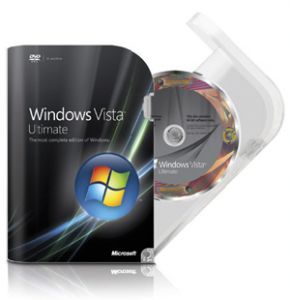 Windows Vista Ultimate combines the best of work and play, into a single easy-to-use operating system. It's easier than ever to find, manage, and share information -- and it's safer than ever to connect, enjoy personal media and sync up personal devices. Fully designed for life on the go, you'll have all the features of Windows Vista Business and Windows Vista Home Premium in one package. Download cutting edge software and services exclusively through Windows Ultimate Extras, and enjoy entertainment on TVs throughout your home with Xbox 360 and other devices. It's the best way to enjoy work and play, with its easy connection to home and school networks. Accomplishing more each day has never been easier. Use your Windows Media Center to enjoy your favorite photos, music, TV, and movies on your PC and share them throughout the home of compatible device -- including your Xbox 360. Enhanced backup and restore -- Special safeguards help protect against hardware failure, user error and other causes of lost data Get a better tablet PC experience with enhanced handwriting recognition and precise pen navigation Connect to a company network or access your PC remotely from home Get up and running with existing data and applications -- fast and easy PC migration, even without dedicated IT support Supports Windows ReadyDrive technology for improved battery performance


